Light & color
Balance exposure and white balance. Shape contrast with curves, refine individual hues, and set the mood with color grading.
Lumanti / RAW editing
From a subtle exposure lift to a complete color story. Shape every photograph with a responsive, non-destructive editing workspace built for Mac.
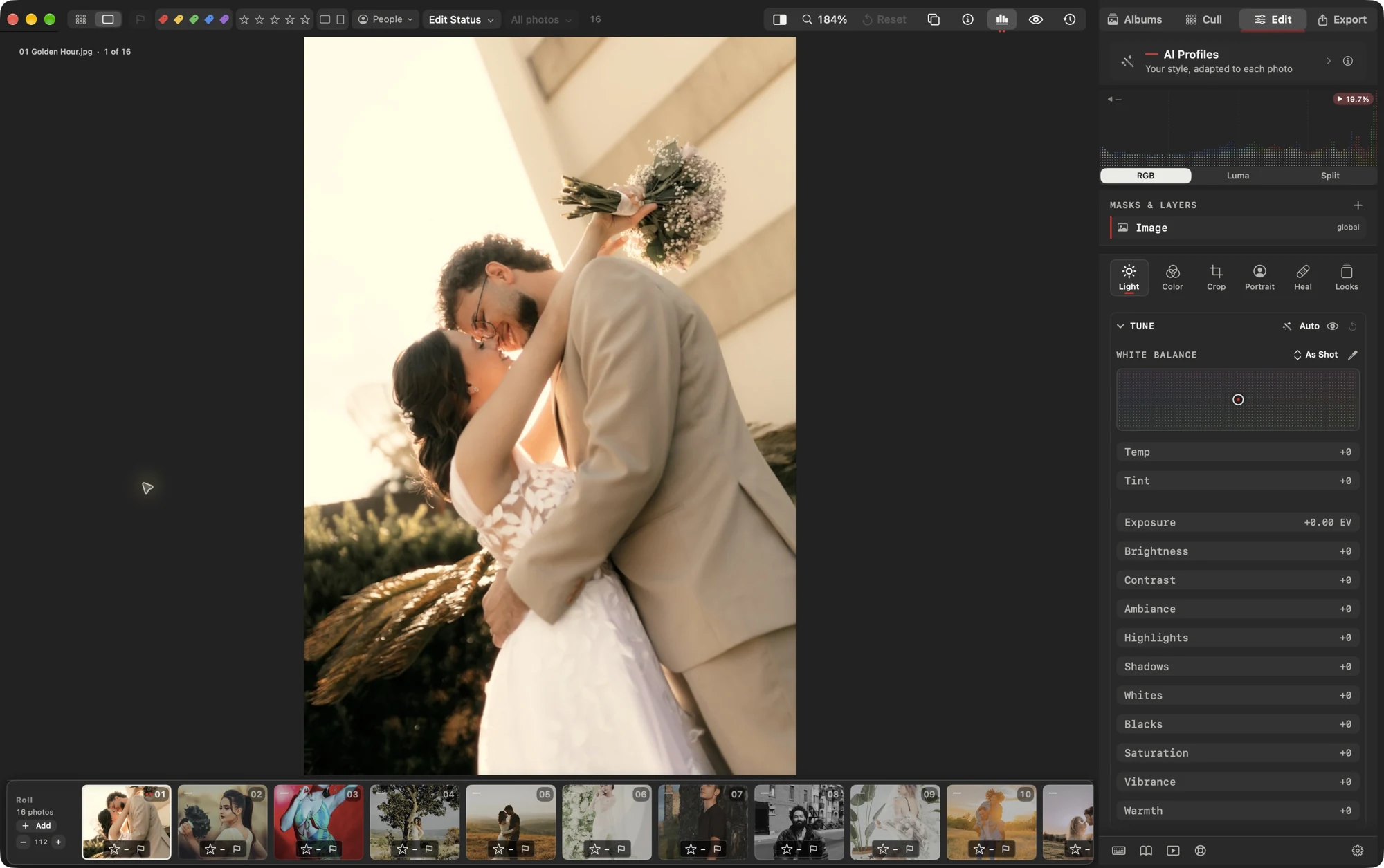
The essentials, thoughtfully connected
Start with the light. Refine the color. Bring the viewer’s eye exactly where you want it.
Balance exposure and white balance. Shape contrast with curves, refine individual hues, and set the mood with color grading.
Work on selected areas of the image. Build and refine masks to bring attention to your subject and keep the background in balance.
Retouch portraits, heal distractions, adjust crop and perspective, and finish with texture or a creative look.
Explore without losing your way
Return to earlier steps, compare with the original, and continue where you left off. Lumanti keeps your edit history when you reopen the session on the same Mac.
Edit history is stored in Lumanti’s local app data. Back up your originals, sidecars, and app data; the full timeline does not travel inside XMP.
Understand edits and history
The final mile
Deliver finished images your way. Choose the format and size, hand off supported settings, or prepare a gallery for review.
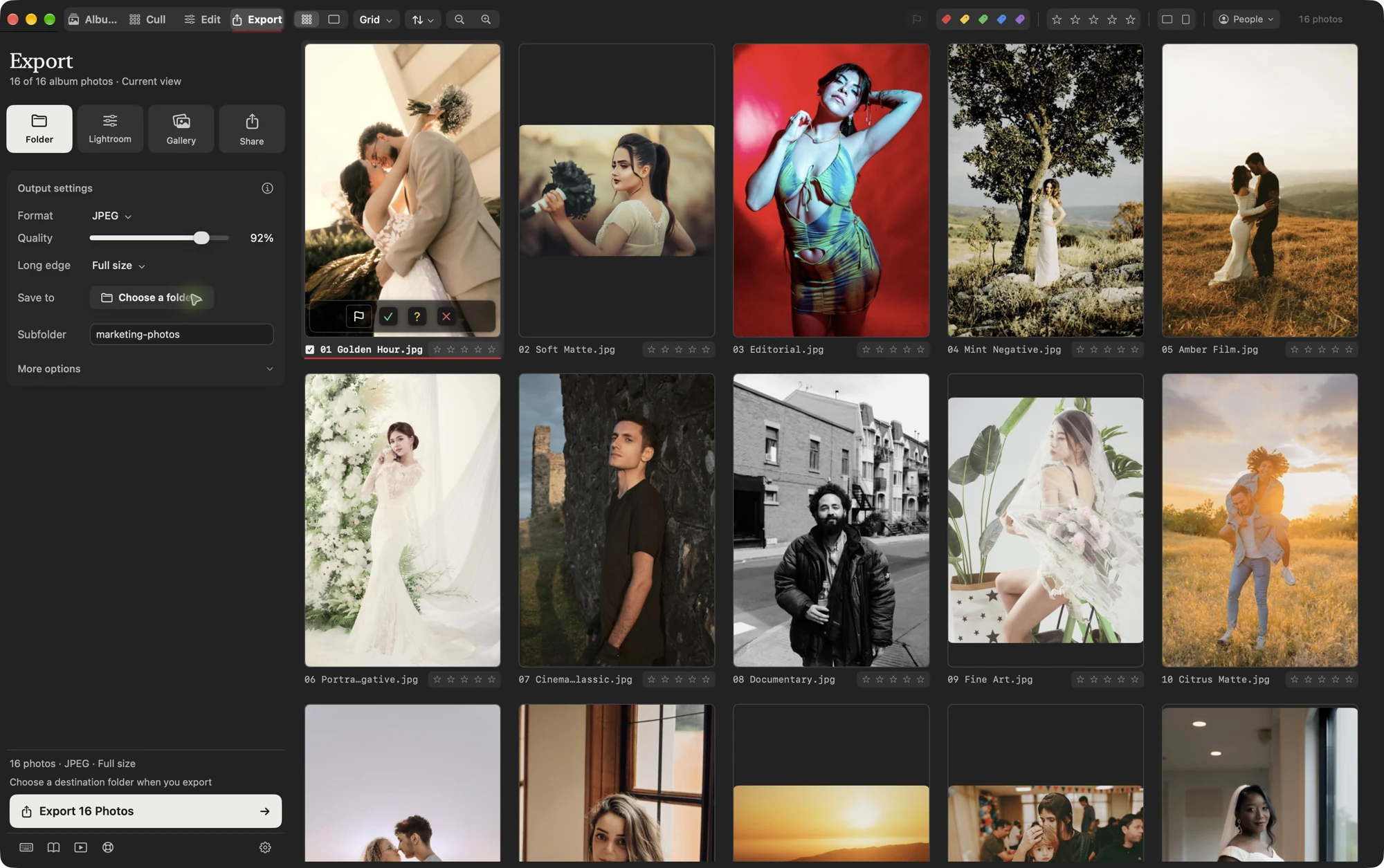
Choose your output format, quality, and dimensions, then save the images to the folder you choose.
Carry supported settings into Lightroom, or use the macOS Share menu to send rendered files onward.
Create a local web gallery for photo selection. Share or host the exported files using your preferred service.
Your next session, reimagined
Cull. Edit. Deliver. All in Lumanti.